
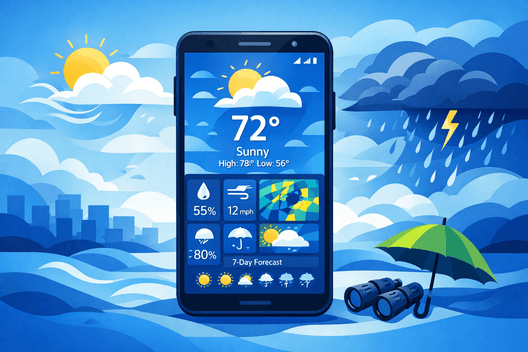
When it comes to daily planning, one of the most important factors to consider is the weather. Whether you’re heading out for a run, planning a road trip, or just getting dressed in the morning, knowing what to expect outside can make all the difference. That’s where a good weather app comes in.
What Is a Weather App and Why Does It Matter?
A weather app is a smartphone application that provides weather forecasts, including details on temperature, humidity, precipitation, wind speed, and more. Many apps also offer specialized data like radar maps, storm tracking, and air quality levels.
Weather apps are important because they help us make informed decisions throughout the day. Whether you’re planning an outdoor event, commuting, or simply dressing for the weather, having accurate and real-time information can save you time and prevent discomfort. With a range of apps available, it’s easier than ever to stay prepared for any weather.
What to Look for in a Good Android Weather App
When choosing a weather app for Android, several factors can impact the experience. Here’s what to consider before downloading:
Forecast Accuracy
The primary function of any weather app is to provide accurate forecasts. Whether you’re looking for a daily outlook or a real-time update, the reliability of the app’s data is crucial. Some apps source their information from global weather stations, while others use hyperlocal weather data that offers more precise details for specific locations.
Ease of Use and Design
A simple and user-friendly interface is essential. Complex navigation or overwhelming features can make checking the weather a hassle. Look for apps that prioritize ease of access, with intuitive designs and clear layouts. Widgets and customizable features are great additions.
Alerts and Notifications
Weather apps with alert systems can notify you about significant weather changes, like storms, heavy rain, or severe winds. Timely alerts can help you avoid dangerous weather conditions, especially in cases of extreme weather.
Free vs. Paid Features
Many weather apps offer both free and premium versions. The free versions usually cover the basics, but paid versions may include extra features like detailed radar maps, advanced forecasting tools, and ad-free experiences. Decide what’s important for you based on your needs.
10 Best Weather Apps for Android in 2026
When it comes to finding the best weather app for your Android device, here are the top 10 options that stand out in 2026.
Additionally, if you’re exploring top-rated Android apps beyond weather, check out our article on Android Apps for more excellent app recommendations.
1. Google Weather
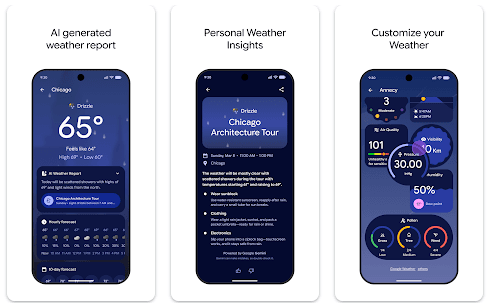
Google Weather is a simple, no-frills weather app that provides accurate forecasts directly on your Android device. Its minimalist design ensures easy access to daily weather updates, with information such as temperature, humidity, and air quality. Plus, it seamlessly integrates with Google Assistant for voice-driven weather updates.
Pros:
- Easy-to-use interface
- Accurate forecasts powered by Google
- No ads, free to use
Cons:
- Lacks advanced features like radar maps and storm tracking
2. AccuWeather
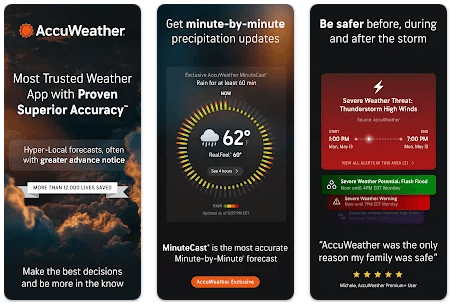
AccuWeather is a popular choice, offering detailed forecasts and a range of features like minute-by-minute precipitation tracking, radar maps, and weather alerts. Its accuracy and high-quality data make it a reliable choice for users seeking both local and global weather insights.
Pros:
- Minute-by-minute precipitation forecast
- Accurate global weather data
- Weather alerts for severe conditions
Cons:
- Ads on the free version
- Some advanced features require a paid subscription
3. The Weather Channel
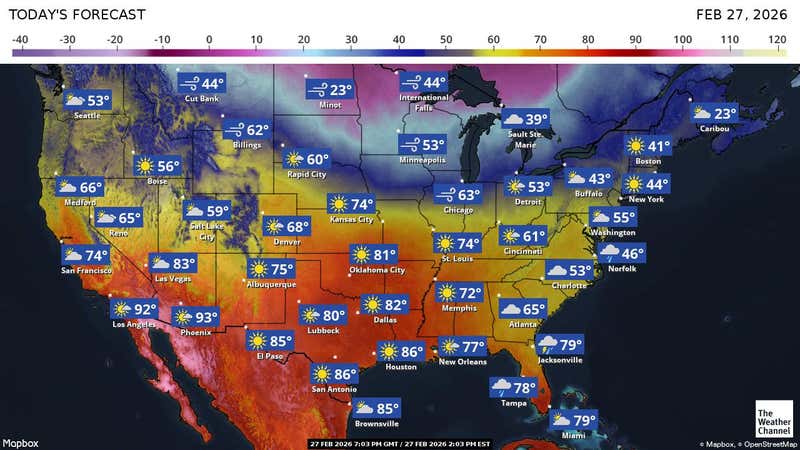
The Weather Channel app provides comprehensive weather information, including radar, severe weather alerts, and hourly forecasts. The app also includes features like weather maps, pollen counts, and air quality updates, making it a top choice for health-conscious individuals.
Pros:
- Detailed radar maps
- Localized alerts for severe weather
- User-friendly interface
Cons:
- Frequent ads
- Some premium features locked behind a paywall
4. Weather Underground

Weather Underground is known for its hyperlocal weather data, sourced from thousands of personal weather stations. It provides detailed forecasts, interactive radar maps, and severe weather alerts, making it perfect for weather enthusiasts.
Pros:
- Hyperlocal weather data
- Customizable notifications
- Community-driven weather reports
Cons:
- Free version has limited features
- Ads in the free version
5. Carrot Weather
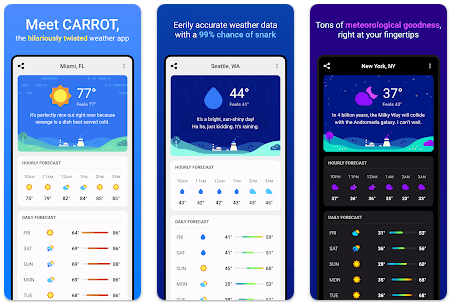
Carrot Weather is one of the most unique weather apps out there, with a quirky, sarcastic interface that appeals to users who like a little humor in their day. It offers accurate weather data and provides personalized forecasts with amusing commentary.
Pros:
- Fun and engaging interface
- Customizable notifications
- Detailed forecasts
Cons:
- Some features require a paid subscription
- Humor may not appeal to everyone
6. Today Weather
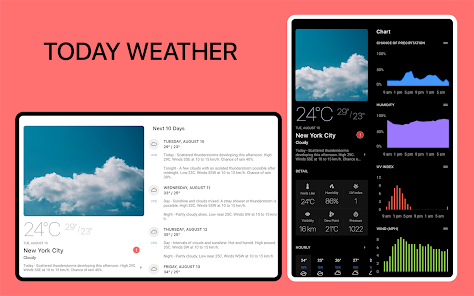
Today Weather is known for its clean design and intuitive layout. It provides essential weather information like temperature, humidity, wind speed, and an hour-by-hour forecast. Its minimalism makes it ideal for users who want quick and easy access to weather data.
Pros:
- Simple, easy-to-read design
- Accurate forecasts
- No ads in the free version
Cons:
- Lacks advanced features like radar maps
- Some users may prefer more detailed data
7. Windy
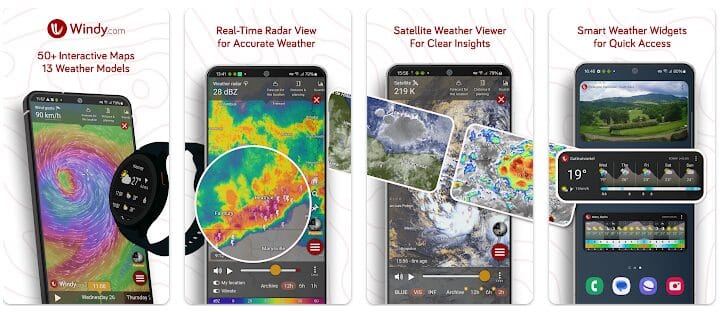
Windy is a unique weather app that focuses on wind conditions, ideal for outdoor enthusiasts such as sailors, surfers, and pilots. It offers real-time wind forecasts, storm tracking, and other advanced weather data in a visually appealing format.
Pros:
- Focus on wind forecasts
- Interactive weather maps
- Ideal for outdoor activities
Cons:
- Can be overwhelming for casual users
- Some features are locked behind a paywall
8. 1Weather
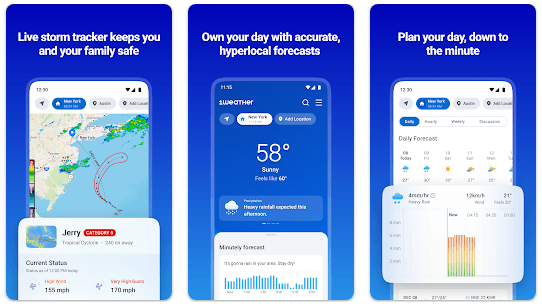
1Weather is a reliable weather app offering both global and hyperlocal forecasts. It features hourly, daily, and extended weather outlooks, as well as live weather updates, radar maps, and weather news. It also offers a clean design and easy navigation.
Pros:
- Accurate and detailed weather forecasts
- Interactive weather maps
- Ad-free with the paid version
Cons:
- Free version has ads
- Some users may find the interface too busy
9. Overdrop
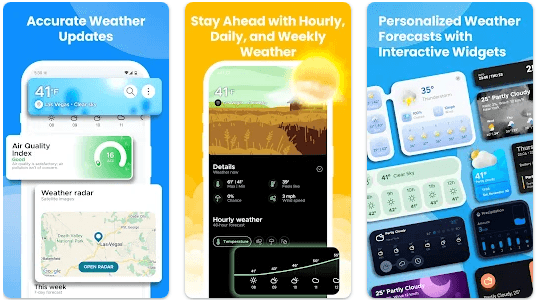
Overdrop is a weather app with a sleek design and detailed forecasting. It offers features like weather radar, storm tracking, and real-time alerts for severe weather. Overdrop stands out for its excellent weather widget customization and the ability to display weather info on the home screen.
Pros:
- High level of customization
- Real-time weather alerts
- Easy-to-use widgets
Cons:
- Premium features require a subscription
- Some advanced features may not be necessary for casual users
10. Yr (by Norwegian Meteorological Institute)
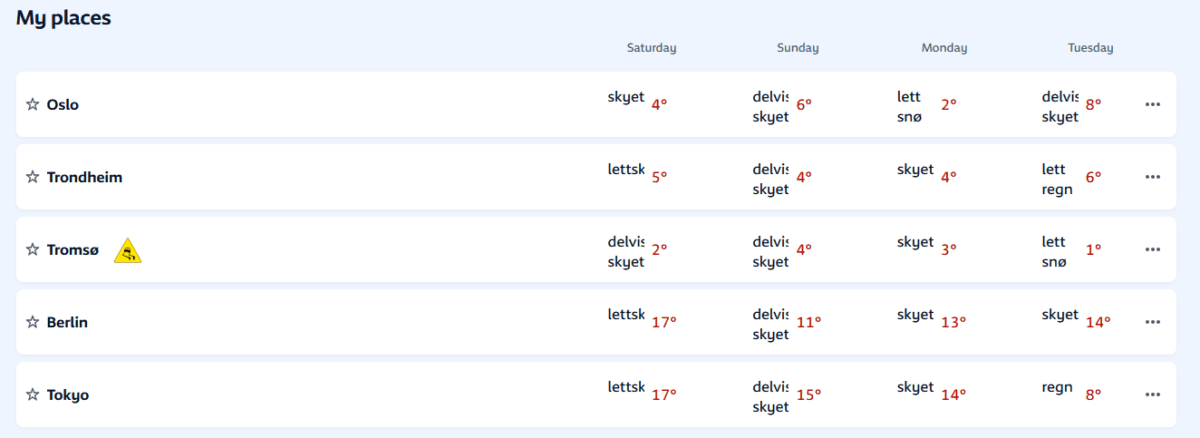
Yr offers highly accurate forecasts sourced from the Norwegian Meteorological Institute, which makes it a trusted choice for users in Europe, particularly those in Norway. It provides detailed weather information, including rainfall, wind speed, and temperature, with hourly and daily forecasts.
Pros:
- Accurate data sourced from a reliable institute
- Simple and easy-to-navigate interface
- Free to use with no ads
Cons:
- Limited global coverage
- Lacks some advanced features like radar maps
Best Free Weather Apps vs. Best Paid Weather Apps
Choosing between free and paid weather apps depends on your preferences and the level of detail you need.
Top Free Picks
Some excellent free weather apps include Google Weather, Today Weather, and AccuWeather. These apps provide accurate forecasts and essential weather information without any cost. However, the free versions often include ads and may lack advanced features like radar maps and storm tracking.
Top Paid Picks
Paid weather apps, such as Carrot Weather and Windy, offer more advanced features like detailed radar maps, custom alerts, and more precise forecasts. These apps often provide ad-free experiences and additional data that casual users may not need but are invaluable for those seeking detailed weather tracking.
Is Upgrading Worth It?
If you need detailed radar maps, severe weather alerts, and extra customization, upgrading to a paid version might be worth it. However, if you’re looking for basic weather information, free apps are often more than enough.
For more insights on the best free apps, visit our article on Free Apps
How to Set Up a Weather App for the Most Accurate Results
To ensure your weather app provides the most accurate results, follow these steps:
Enable Location Permissions
Allowing the app to access your location ensures it provides the most accurate, hyperlocal forecast.
Customize Alerts and Widgets
Set up personalized weather alerts and place a weather widget on your home screen for quick access to real-time updates.
Choose Your Preferred Data Source
Some apps allow you to select your preferred weather data source. Opt for trusted sources like national meteorological institutes for the most reliable data.
Which Weather App Has the Most Accurate Forecasts?
When it comes to accuracy, apps like AccuWeather, The Weather Channel, and Weather Underground offer the most reliable forecasts due to their extensive data sources and advanced tracking systems. These apps use a combination of global weather stations, satellites, and hyperlocal data to provide up-to-the-minute accuracy.
Benefits of Using a Dedicated Weather App Over Built-In Options
While built-in weather apps offer basic forecasts, dedicated weather apps are often more detailed and feature-rich. They provide advanced tools such as live radar maps, storm tracking, and customizable alerts, making them more reliable for users who need precise weather information.
Best Weather Widgets for Your Android Home Screen
Weather widgets allow you to quickly view weather information without opening the app. Some of the best weather widgets for Android include those from 1Weather, Today Weather, and Overdrop, all of which offer customizable and interactive widgets for quick access to weather updates.
Frequently Asked Questions
What is the most accurate weather app for Android?
The most accurate weather apps include AccuWeather, Weather Underground, and The Weather Channel. These apps use a mix of global and hyperlocal data for precise forecasts.
Are free weather apps reliable enough for daily use?
Yes, free weather apps like Google Weather and Today Weather are reliable for daily use, offering accurate forecasts and essential features.
Do weather apps drain my phone’s battery?
Weather apps can drain battery life, especially if they continuously update or use GPS. Choosing an app with battery-saving features or limiting updates can help conserve energy.
Can I use a weather app without sharing my location?
Yes, many weather apps allow you to manually enter your location for forecasts, so you don’t have to share your location.
What weather app gives the best hourly forecast?
Apps like AccuWeather and 1Weather offer excellent hourly forecasts, helping you plan your day with precise details about temperature, precipitation, and wind conditions.
Is Google Weather better than AccuWeather?
Google Weather is great for simplicity, while AccuWeather offers more detailed forecasts, including minute-by-minute precipitation tracking and storm alerts.
How do weather apps get their data?
Weather apps get their data from various sources, including government meteorological institutes, weather stations, satellites, and user-generated data from personal weather stations.
What is the best weather app for severe storm alerts?
The Weather Channel and AccuWeather provide detailed storm tracking and timely severe weather alerts, making them ideal for staying safe during extreme conditions.